DAIC: After extracting Verilog file from Leonardo Spectrum it is used to create the schematic in DAIC. To invoke Design Architect type mentor.2007 adk_daic. It will open a blank window.
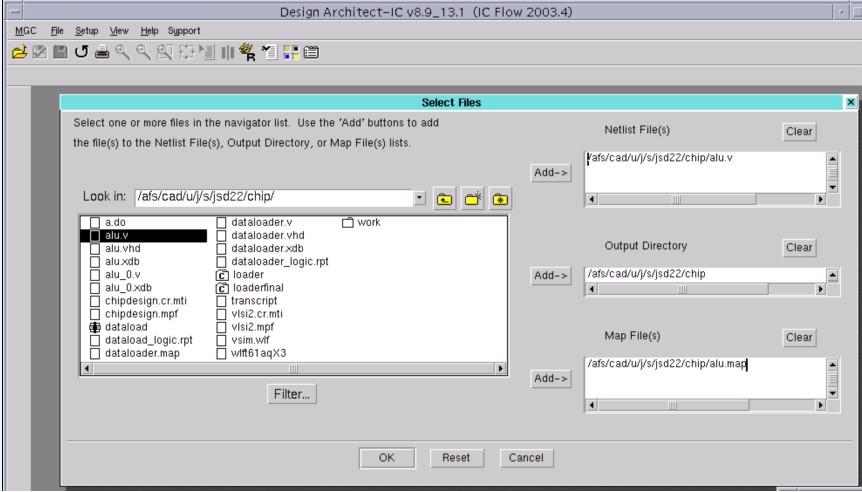
1) Go to File-->import Verilog. This will open up a new window. Click on Netlist files. A new window will pop up.
Netlist files: Browse to Verilog file in your design directory
Output Directory: Set an output directory to store the files
Map file: Give a map file: $ADK/technology/adk_map.vmp
Window below shows all settings (item #6 and #7 below will not be required)
2) After setting the above parameters click OK. All settings will get mirrored in Import Verilog Window.
3) In same window do following settings: For existing components in output directory select - replace all, Select create template map file (may not be required) and click OK
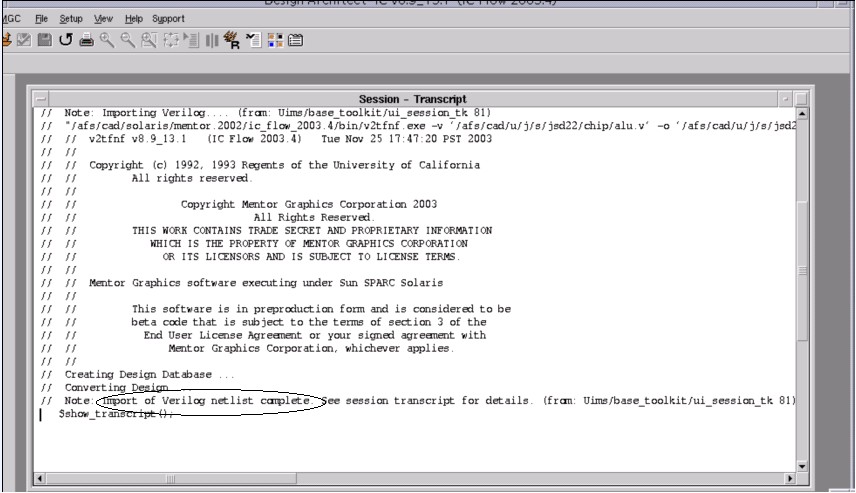
4) In bottom message window successful import of Verilog file will show message " Import of Verilog file complete"
5) Go to MGC--> transcript-->show transcript, Following window will appear, check out if there is any error
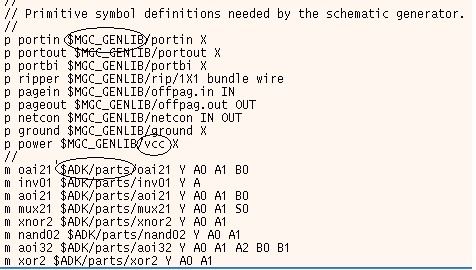
6) Go to output directory and locate map file. Double click the map to make some change as indicated by the circles. After changing the map file it will look like below.
7) Again go to DAIC window Select File-->import Verilog. This time deselect create template map file. Click OK. Message " import of Verilog Netlist complete" indicates successful Verilog import otherwise go to transcript to see what is wrong.
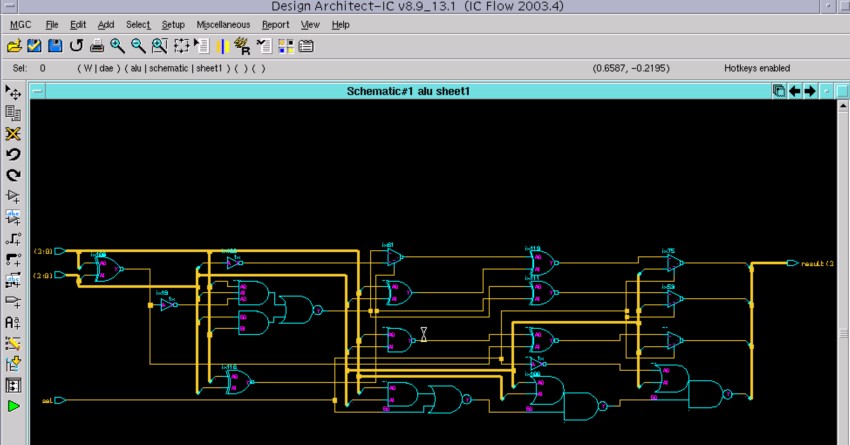
8) Now its time to see schematic in DA. Go to File-->Open schematic, browse to your design directory to find schematic file. The schematic window will appear as below
9) Check schematic by going to File-->check schematic and after checking you can save it if you made some changes in it. Optionally symbol can be generated by going to miscellaneous-->generate symbol.
10) For IC station it is necessary to create a viewpoint. In above figure click on tiny green triangle in left hand side palette to enter in simulation mode. Another window will pop up as shown in figure
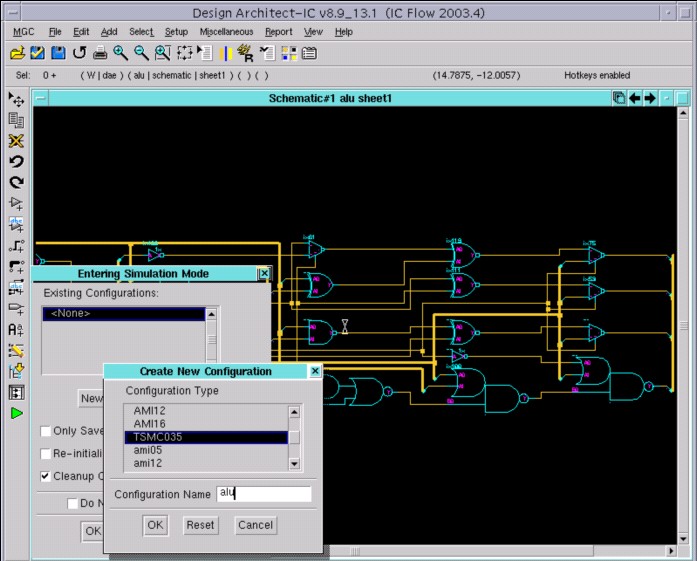
Select TSMC 035 technology and give name to configuration.
9) If you get a message " viewpoint alu (ur configuration name) saved", you are done. CHEERS