Downloading
and Installing Arena
Below are instructions for downloading and installing Arena
on your Windows PC; there is no version for Macs. Additional instructions are available here.
1. Go to http://www.arenasimulation.com/Registration.aspx
to register.
2. After
registering, go to http://arenasimulation.com/Tools_Resources_Download_Arena.aspx,
and click on the link to download Arena.
It will take time to download since it is a big file (418 MB).
3. After the
file Arena_Download.zip has finished downloading, you need to uncompress it using, e.g., WinZip
or WinRAR.
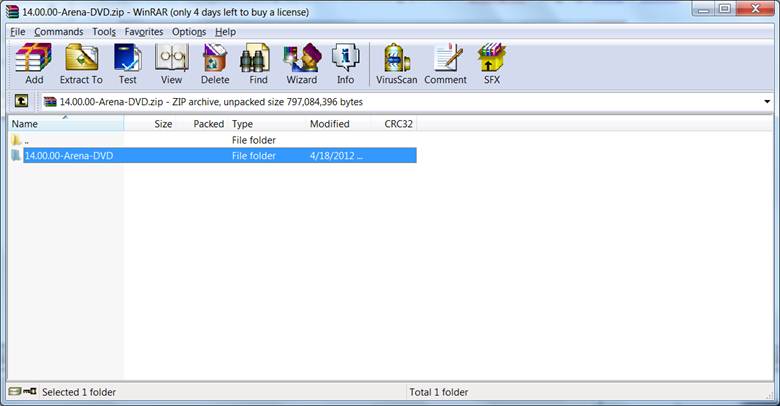
4. Select 14.00.00-Arena-DVD, and then you will see the following files.
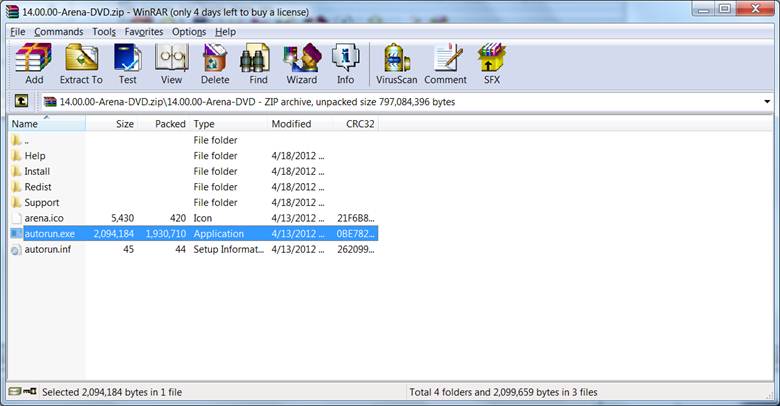
5. Now open
the file autorun.exe to start the installation.
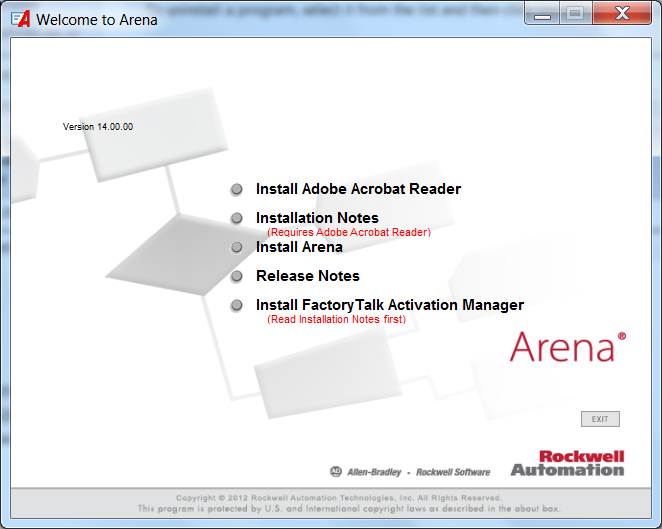
6. A new window
titled “Welcome to Arena” will appear.
Click on the option “Install Arena”.
7. You will be
asked to accept the End-User License Agreement, and you may be required to
reboot your system. Eventually, you will
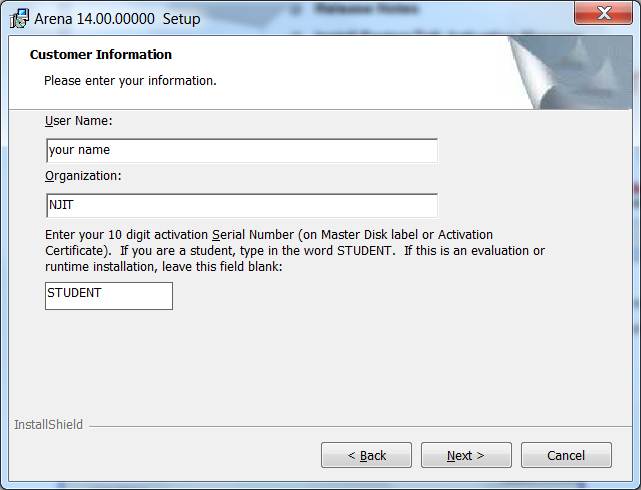
get a new window “Arena 14.00.00000 Setup: Customer Information”. Here, enter your User Name and Organization,
which can be set to whatever you want, but you must enter “STUDENT” for the
Serial Number.
8. You will
then need to click through a few more screens to install Arena. After the installation has finished, you can
Arena by going to the Start menu, and selecting All Programs > Rockwell
Software > Arena > Arena .
Return to CS 661
homepage