5) Verilog File
Leonardo Spectrum: Leonardo spectrum is synthesis tool for ASIC and FPGAs. Synthesis tool takes VHDL code and user constraints as input and provide the Netlist as output which can be viewed in the form of schematic.
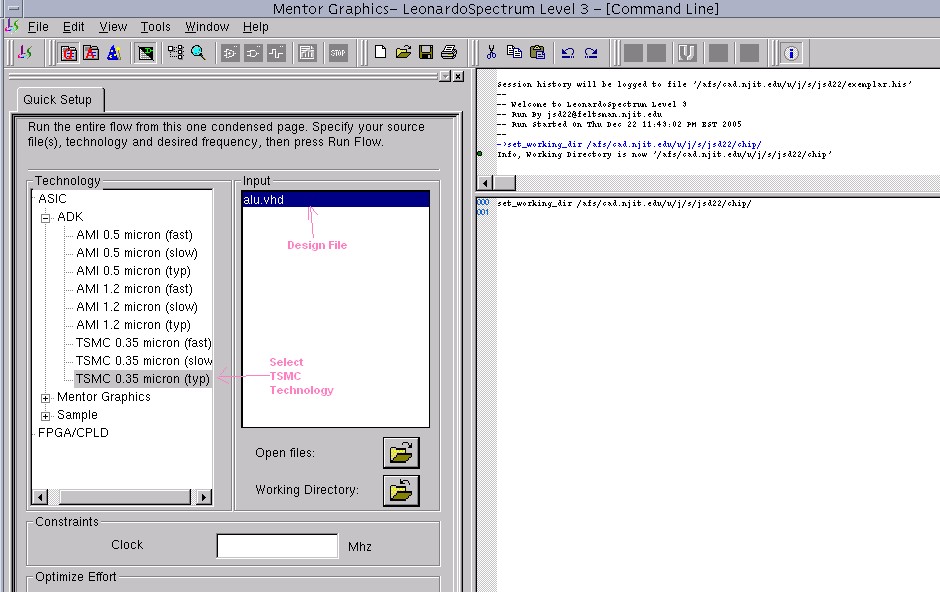
1) Getting Start with Leo: To get start with Leo type mentor.2002 Leo at command prompt and press Enter. This will open up the main window of Leonardo Spectrum synthesis tool. First of all set working directory in which your VHDL design is residing, include the design file by using Open files button. Select TSMC 0.35 micron as target technology. this procedure is shown below.
2) Setting Up constraints: User constraints can be given to optimize the design. Go to Tools-->Flowtabs. Tabs will appear in window, go through each tab and set the parameters according to your requirements. Go to last tab "Output". Here will generate a Verilog file which we will use in DAIC and IC station. After selecting the directory to store the Verilog file select Verilog as format .
Return to the main window by pressing Quick Setup button as shown above. To set up certain synthesis directives we need a do file. You can find do file here a.do . Save this file to your working directory. Run file by typing dofile a.do in right hand side window frame of Leo.
Run the synthesis by pressing RUN button at the bottom. After synthesizing in right hand side check total number of gates used and critical path timing. Critical path timing determines the maximum frequency.
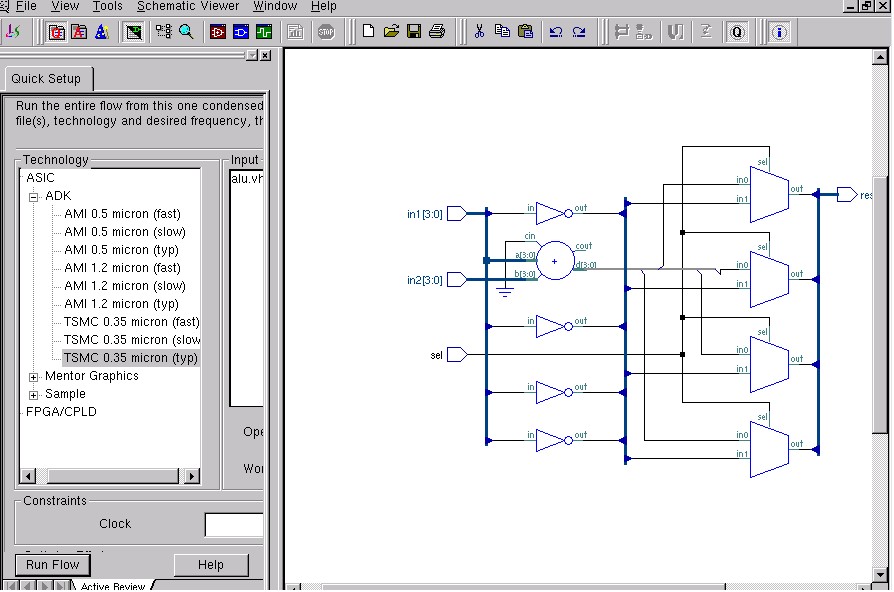
3) RTL Schematic: RTL level synthesis results can be seen by pressing
button  in main
palette. It should appear as shown below
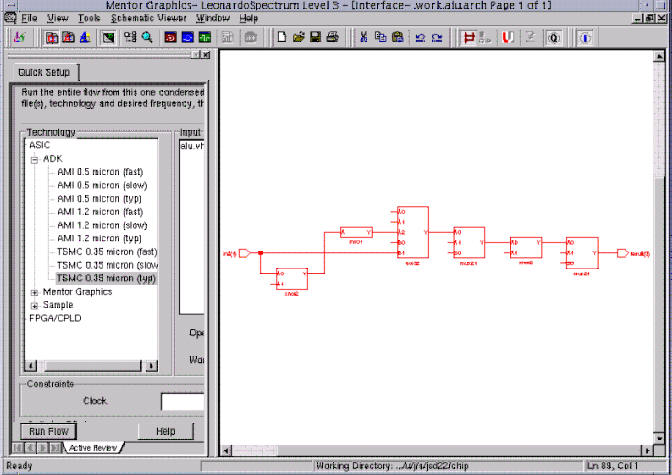
4) Critical Path: Critical path can be seen by pressing critical path button on the same palette.
5) Verilog File: After checking the design and critical path go to your working directory to see whether Verilog file has been created or not. If not go to output tab select format as Verilog and run the flow.
Verilog file for above design can be found here alu.v.